The Ultimate 3D Scanning to CAD Solution
Geomagic® for SOLIDWORKS®: The Most Comprehensive 3D Scanning Solution, Integrated Directly into Your Design Environment
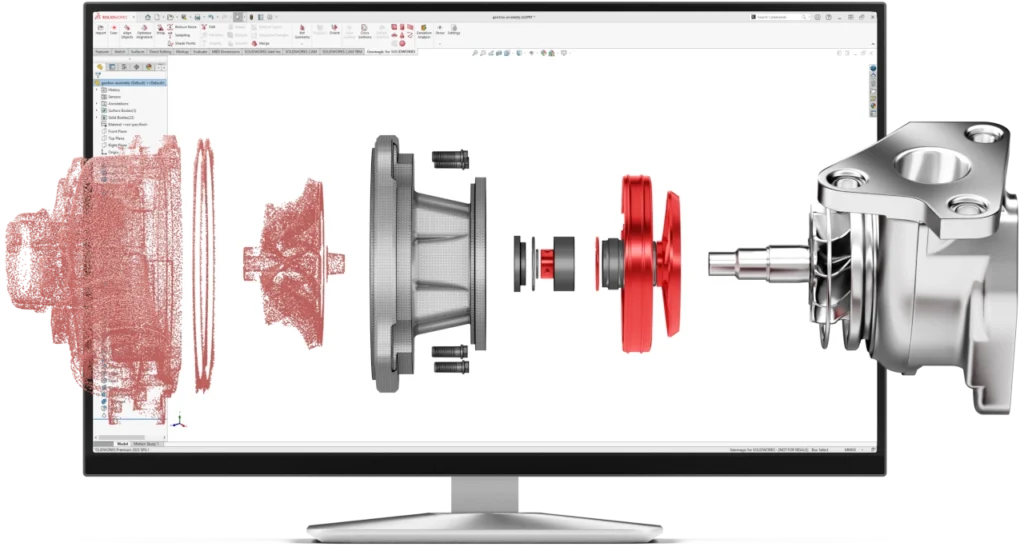
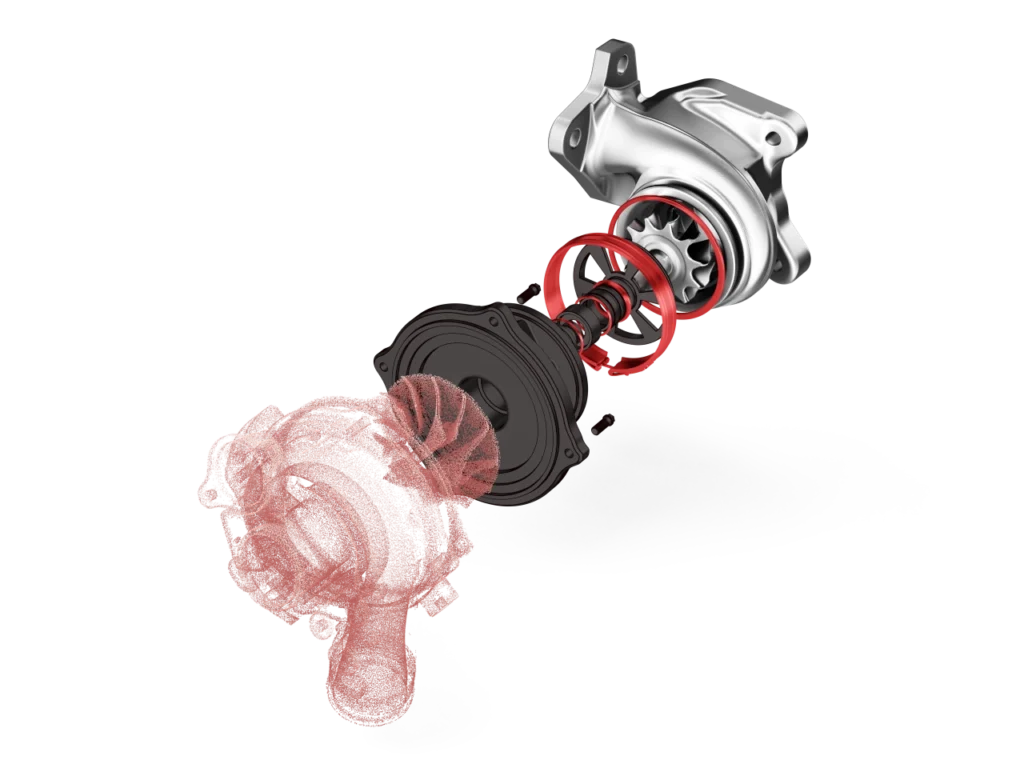
Imagine being able to capture anything from the real world and have a fully editable solid digital copy in SOLIDWORKS in just minutes.
Geomagic for SOLIDWORKS is the professional tool that removes the barrier between physical parts and your CAD environment. Designed for engineers and designers who demand precision, this solution transforms reverse engineering, prototyping, and quality control, turning hours of complex modeling into a smooth and automated workflow.
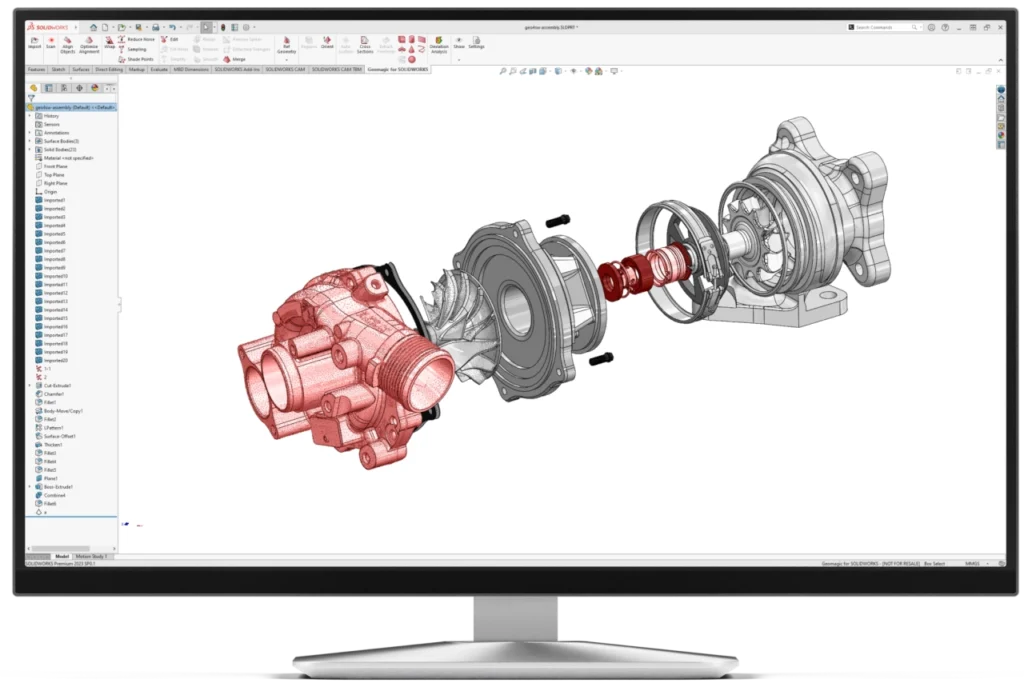
What can you do with Geomagic for SOLIDWORKS?
- Effortless design at your fingertips: Digitize real parts, prototypes, and old molds without blueprints and convert them into parametric CAD models ready for modification.
- Quickly recover lost design data: Recreate a broken mold or worn part with impeccable precision, starting directly from the physical object.
- Discover a world of possibilities: Radically accelerate your design times, validate the quality of your manufactured items, and create customized products that perfectly fit complex shapes or the human body.
- Work with micrometric precision: Use advanced comparison, alignment, and deviation analysis tools to ensure your designs meet the most demanding tolerances.
Main Features
We have integrated a set of professional-level tools so you can do all your work without leaving SOLIDWORKS.
Direct Integration with Popular 3D Scanners Connect your scanner and work directly in SOLIDWORKS. No more importing and exporting files.
- Compatible hardware includes: Hexagon and FARO scanning arms.
- Portable scanners from Creaform and Artec (via Artec Studio).
- Cobalt array imaging systems.
- Nikon scanning arms.
Color Scanning and File Import Capture geometry along with color and texture. Import a wide range of point cloud file formats with per-vertex colors or mapped textures, ideal for projects where appearance is as important as shape.
Automated Point Cloud Processing Convert millions of points into a clean, usable 3D model in seconds. Automated processing and intelligent noise filtering prepare your data for modeling immediately.
Polygonal Surface Creation and Processing (Meshes) Generate accurate and optimized meshes from one or multiple point clouds. Includes powerful tools for:
- Automatic decimation and smoothing.
- Noise reduction and hole filling.
- Model preparation for reverse engineering or 3D printing.
Advanced Alignment Tools Ensure maximum precision by aligning your scans with coordinate systems, probes, or multiple datasets. Guaranteed consistency and accuracy.
Automatic Surfacing Automatically convert meshes of organic or complex geometric objects into surfaces and CAD solids. An essential feature for reverse engineering parts with freeform shapes.
Cross-Sectioning and Sketch Creation Automatically create curves, cross-sections, and 2D sketches directly on your meshes or point clouds, dramatically streamlining the CAD modeling process.
Intelligent Modeling and Selection Tools Use a set of intuitive wizards to extract geometry from scanned data:
- Extrude, Revolve, Freeform Surface, Sweep, and Pipe.
- Primitive feature fitting (planes, cylinders, cones).
- Intelligent selection by regions, lasso, or paint cube for an optimized workflow.
Real-Time 3D Deviation Analysis Do the impossible! Compare the scanned object (mesh) with your original CAD model to check tolerances, detect wear, or analyze deformations. The color map shows deviations instantly, allowing you to make quick and safe quality decisions.
Sectors where Geomagic for SOLIDWORKS transforms design
- Automotive and Motorcycles: Digitization of components, molds, and tooling.
- Aerospace and Defense: Validation, inspection, and reconstruction of critical parts.
- Medicine and Dentistry: Design of customized implants and anatomical prosthetics.
- Jewelry and Fashion: Creation of unique pieces with complex organic geometries.
- Art and Cultural Heritage: Digital preservation, restoration, and scaling of works.
- Technical Education and Universities: Practical training in metrology, 3D design, and reverse engineering.
Direct Benefits to Your Workflow
- Save Time and Money: Reduce hours, even days, of manual modeling with automated processes.
- Avoid Costly Errors: Detect deviations and manufacturing defects before they become a problem.
- Total Flexibility: Work with data from virtually any 3D scanner on the market.
- Guaranteed Compatibility: A fully integrated and SOLIDWORKS-certified solution.
- Professional Results: Achieve precision, reliability, and traceability at every stage of the process.
Want to Try Geomagic for SOLIDWORKS?
Experience for yourself how this solution can revolutionize your design process. Where the physical world becomes your greatest digital advantage.
Inquire about available licenses, or receive technical advice on compatibility with your 3D scanners.
👉 Write to us on WhatsApp or leave your details to receive direct information from a specialist.
Use 3D Tools for 3D Tasks

For greater freedom of expression and faster modeling, Geomagic Freeform products work exclusively with 3D Systems Touch haptic devices to provide the physical sensation of sculpting in a virtual environment. This more intuitive way of interacting with your 3D designs reduces learning time, accelerates the design process, and allows you to deliver excellent quality 3D data.

Capture physical objects in 3D directly into Freeform with the Geomagic® Capture™ 3D scanner, the most powerful and integrated industrial 3D scanner and software. Bring the real world into the digital realm and leverage existing shapes and designs of your creation. Add complex design elements and create creative models with scanned components.